컴퓨터 사용 팁
chrome/whale등에서 파일 다운로드 안될때 확인
소혼
2022. 2. 10. 15:40
갑자기 파일 다운로드가 안되는데 원인을 알 수가 없었다.
그래서 histograms을 봤다.
( chrome://histograms 또는 whale://histograms )

이제 아래 사이트에 들어가서 저 문자열 (Download.CancelReason)을 검색한다.
https://source.chromium.org/chromium
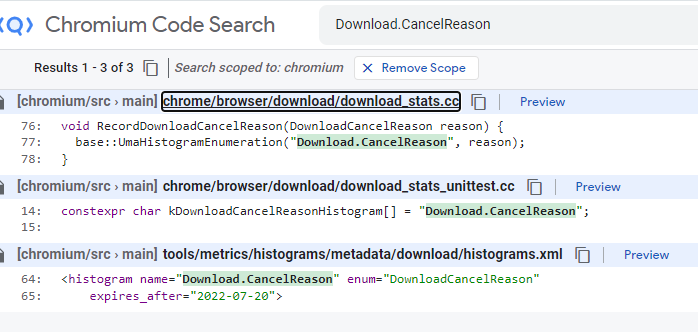
첫번째를 보면 객체가 DownloadCancelReason. DownloadCancelReason으로 다시 검색을 해야 나올것 같으니 다시 검색하면 아래와 같은 enum이 나온다.
enum class DownloadCancelReason {
  // Existed download path after download target determination.
  kExistingDownloadPath = 0,
  // Canceled due to download target determiner confirmation result.
  kTargetConfirmationResult = 1,
  // Canceled due to no valid virtual path.
  kNoValidPath = 2,
  // Canceled due to no mixed content.
  kMixedContent = 3,
  // Canceled due to failed path reservacation.
  kFailedPathReservation = 4,
  // Canceled due to empty local path.
  kEmptyLocalPath = 5,
  kMaxValue = kEmptyLocalPath
};
3은 MixedContent라 Cancel되었다.
그냥 url 복사해서 붙이니 다운로드가 되었다. ;
반응형